

My friend Priya texted me before her beach holiday last month asking one simple question. Can I wear my Apple Watch in the sea?
I said it depends on which model you have. She sent back three question marks. So I explained the whole thing and figured I should write it up properly.
Here's the truth about Apple Watch and water. Because the answer everyone wants, a simple yes or no, isn't actually the right answer.
Let's Kill the Waterproof Myth First
No Apple Watch is waterproof. Not a single model. Not even the Ultra.
Waterproof means completely impervious to water under any condition forever. No smartwatch on the market makes that claim because no smartwatch can honestly make it.
What Apple Watch has is water resistance. That's a meaningful difference and understanding it determines whether your watch survives your swim or ends up in a bowl of rice.
Water resistance means the watch can handle specific amounts of water pressure under controlled test conditions. It has limits. Those limits vary by model. And critically, that resistance degrades over time.
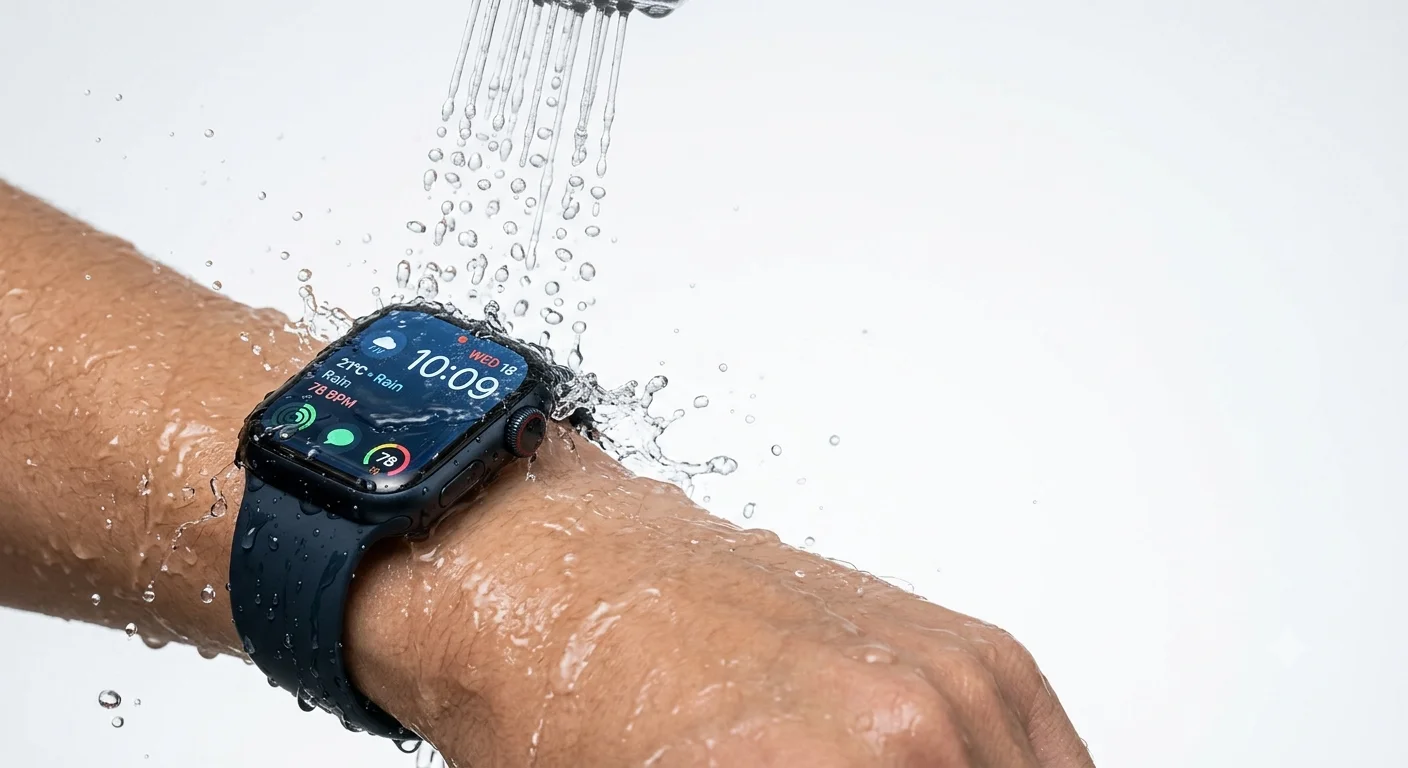 The Rating System Explained in Plain Terms
Apple uses two main rating systems across its watch lineup. Here's what they actually mean.
IPX7 is the old rating from the original Apple Watch and Series 1. It means the watch can survive accidental splashing or brief immersion up to one meter for thirty minutes. Washing hands, caught in the rain, splashed at the pool. That's the limit.
WR50 is the rating on Series 2 through the current Series 10 and both SE generations. It means water resistant to 50 meters under the ISO 22810:2010 standard. This is the swim-safe rating. Pool laps, ocean swimming, showering. All fine.
WR100 is exclusive to Apple Watch Ultra and Ultra 2. Water resistant to 100 meters, EN13319 certified which is the international standard for dive computers. This is the only Apple Watch designed for actual diving.
Every Model Broken Down
Let me make this completely clear by going model by model.
Apple Watch 1st Gen and Series 1
Splash resistant only. IPX7 rated.
You can wear it in light rain. You can wash your hands with it on. You should not swim with it, shower with it, or submerge it intentionally.
If you have one of these, keep it away from water beyond accidental splashes.
Series 2 Through Series 10 and Apple Watch SE
Water resistant to 50 meters. WR50 rated.
You can swim laps in a pool. You can swim in the ocean. You can shower with it on. You can sweat through an intense workout and it'll be fine.
You cannot scuba dive with it. You cannot water ski with it. You cannot use it in a hot tub with water jets blasting at it.
The 50 meters does not mean you can dive to 50 meters. It means the seals can withstand the equivalent pressure under standard test conditions. Real-world diving creates dynamic pressure that exceeds what the rating covers.
Apple Watch Ultra and Ultra 2
Water resistant to 100 meters. WR100 and EN13319 certified.
You can do everything the Series models handle and more. Swimming in pools and open water, showering, water skiing, high-velocity water sports, and recreational scuba diving to 40 meters.
The Ultra is the only Apple Watch built for diving. If you dive, this is your only legitimate option.
The Hot Shower and Sauna Problem
Here's something that surprises people. You should be careful showering with even the swim-rated Apple Watch models.
The issue isn't the water. It's the heat, the soap, and the steam.
Hot water causes materials to expand and contract. Over time that thermal stress weakens the seals. Shampoo, conditioner, body wash, and soap are all chemicals that degrade the adhesives holding the water-resistant components together.
Saunas and steam rooms are the worst case. High heat plus steam combined is specifically called out by Apple as something to avoid on all models.
Priya asked about the sea specifically. Salt water is also worth treating carefully. Salt accelerates seal degradation and should always be rinsed off with fresh water after ocean swimming.
The Part Nobody Talks About: Water Resistance Degrades
This is the most important thing to understand about Apple Watch and water.
The water resistance your watch had on day one is not the water resistance it has after two years of daily wear.
The seals and adhesives that create that water resistance weaken over time. They weaken faster if you expose the watch to chemicals like soap and chlorine regularly. They weaken faster if you bump or drop the watch. They weaken if the watch gets repaired by a non-Apple service that doesn't re-seal it properly.
Apple does not specify exactly how long the water resistance lasts. It simply notes that water resistance is not permanent and can decrease over time.
What that means practically is that a Series 8 that's been swimming with you twice a week for three years may have significantly less water resistance than its WR50 rating suggests. If you push it harder than normal, you're taking a risk you may not be aware of.
Water Lock: What It Is and Why You Should Use It
Every Apple Watch from Series 2 and later has a feature called Water Lock. It's worth knowing how it works.
When you start a swimming workout, Apple Watch automatically activates Water Lock. This locks the touchscreen so water droplets don't register as taps and mess with your workout tracking.
When you finish, you press and hold the Digital Crown. The watch plays a series of tones that use sound vibrations to expel water from the speaker. You'll see and hear water coming out. That's normal and expected.
You can also activate Water Lock manually anytime. Open Control Center, tap the water drop icon, and Water Lock activates. Useful if you're heading into water unexpectedly and don't want to start a formal workout.
What To Do After Your Apple Watch Gets Wet
Here's the care routine that extends the water resistance life of your watch.
After swimming in a pool, rinse with fresh lukewarm water. Chlorine is a chemical that degrades seals over time. A quick rinse removes it before it can do damage.
After swimming in the ocean, same thing. Salt water rinse with fresh water immediately after.
After any water exposure, dry the watch and band with a soft lint-free cloth. Don't use a hair dryer, compressed air, or anything that adds heat or pressure.
If the speaker sounds muffled after getting wet, use the Water Lock ejection feature before trying anything else. The tones push water out of the speaker chamber.
Don't press the side button or Digital Crown while underwater. The button gaps are a water entry point under pressure.
The Band Situation Nobody Warns You About
Here's something that catches people off guard. The watch might be water resistant but your band might not be.
The Milanese Loop, Leather Link, Modern Buckle with leather, Hermès leather bands, and Link Bracelet are not water resistant. At all.
If you're swimming, showering, or doing anything with significant water exposure, you need a sport band. The fluoroelastomer Sport Band and Sport Loop are the water-safe options.
A leather band that gets repeatedly soaked will deteriorate quickly. Metal bands can handle occasional splashing but aren't designed for swimming. This matters because a compromised band also puts more strain on the watch case over time.
If you're buying Apple Watch specifically for swimming or active water use, get the Sport Band or Sport Loop with it.
The Pressure Test vs Real World: Understanding the Gap
The WR50 rating comes from static pressure testing in a lab. The watch sits in 50 meters of equivalent static water pressure for a set duration.
Real swimming is not static. Every stroke generates dynamic pressure. The faster you swim, the higher the momentary pressure on the watch seals.
That's why Apple specifically says Series models are not suitable for water skiing or high-velocity water sports despite the WR50 rating. The dynamic pressure from high speeds exceeds what the seals were designed for.
For casual swimmers and lap swimmers, this distinction doesn't matter. Your strokes at normal swimming speeds are well within the WR50 rating's real-world tolerance.
For anyone doing watersports involving speed, only the Ultra is designed for those conditions.
Apple Watch Ultra vs Series 10: The Real Water Difference
Here's where people get confused when comparing these two models for water activities.
Series 10 is WR50 rated. It's excellent for casual swimming, lap swimming, and open water swimming. It tracks swim workouts, records laps, monitors heart rate in the water, and provides stroke detection. For 95% of people who swim with their watch, this is completely sufficient.
Apple Watch Ultra 2 is WR100 rated and EN13319 certified. It adds recreational diving capability to 40 meters, a depth gauge, underwater temperature monitoring, and higher pressure tolerance for high-speed water sports. It also adds a physical action button and the largest brightest display Apple makes.
The Ultra costs significantly more than the Series 10. If you're not diving, the additional water resistance is largely theoretical for everyday swimming. The choice between them should be based on whether you actually dive or do high-velocity water sports.
If you want the full breakdown of Apple Watch alongside other Apple accessories and how they compare at different price points, our AirPods comparison for 2026 covers a similar decision framework across the AirPods lineup that's worth reading if you're building out your Apple setup.
The Damage Scenario: What Happens When It Goes Wrong
What does water damage to an Apple Watch actually look like?
The most common early sign is a muffled speaker that doesn't clear with Water Lock ejection. That means water is sitting deeper in the device than the ejection tones can reach.
After that, display issues. Fog under the screen, spots in the display, or the screen behaving erratically when touched.
Sensor failures come next. Heart rate readings becoming erratic or unavailable. GPS losing lock unexpectedly.
In serious cases, complete device failure.
Apple's warranty does not cover water damage. AppleCare Plus may cover it depending on the specific terms of your plan. If you suspect water damage, stop using the watch immediately and contact Apple Support.
FAQs
Is Apple Watch waterproof?
No. Every Apple Watch is water resistant, not waterproof. Series 2 and later handle swimming, but no model is completely impervious to water under all conditions.
Can I swim with my Apple Watch?
Yes, if you have Series 2 or later including SE models. They're rated WR50 and safe for pool and ocean swimming at normal depths.
Can I shower with my Apple Watch?
You can, but hot water and soap accelerate seal degradation over time. Apple recommends rinsing with fresh water after and avoiding shampoo and body wash contact.
Which Apple Watch can you dive with?
Only Apple Watch Ultra and Ultra 2 are certified for recreational scuba diving to 40 meters through the EN13319 diving standard.
Does water resistance wear off over time?
Yes. Apple explicitly states water resistance is not permanent and degrades with normal wear, chemical exposure, and impact over time.