


So I get this question a lot from people who just picked up a new MacBook and want to jump into Valorant with their friends. The short answer is no, not natively. But there is more to it than that and the full picture depends heavily on which Mac you have.
Let me break this down properly.
The Straight Answer
Riot Games has not released a Mac client for Valorant and there is no official macOS version of the game. If you go to the Valorant website right now on your Mac and try to download it, there is nothing there for you.
But that does not mean it is completely impossible. It just means you need to understand what your options are and which ones actually work.
Why Valorant Does Not Work on Mac
This is the part most articles skip over but it is actually the most important thing to understand.
The biggest reason Valorant is not on macOS comes down to Riot's Vanguard anti-cheat system. Vanguard operates at the kernel level, the very core of the operating system, scanning memory and hardware drivers to prevent cheating. macOS does not allow third-party software to install kernel extensions with that level of access, so porting Vanguard would require major changes to Apple's security framework.
This is not a laziness thing on Riot's part. Riot has acknowledged that developing a separate macOS client would be resource-intensive and the studio has not indicated any movement toward a port. Without Vanguard working properly, the competitive integrity of the game falls apart immediately.
Intel Mac vs Apple Silicon
This is where the answer splits into two completely different paths depending on your Mac.
If you have an Intel-based Mac, there is actually a legitimate way to play. If you have an M1, M2, or M3 chip, you are unfortunately out of options for now.
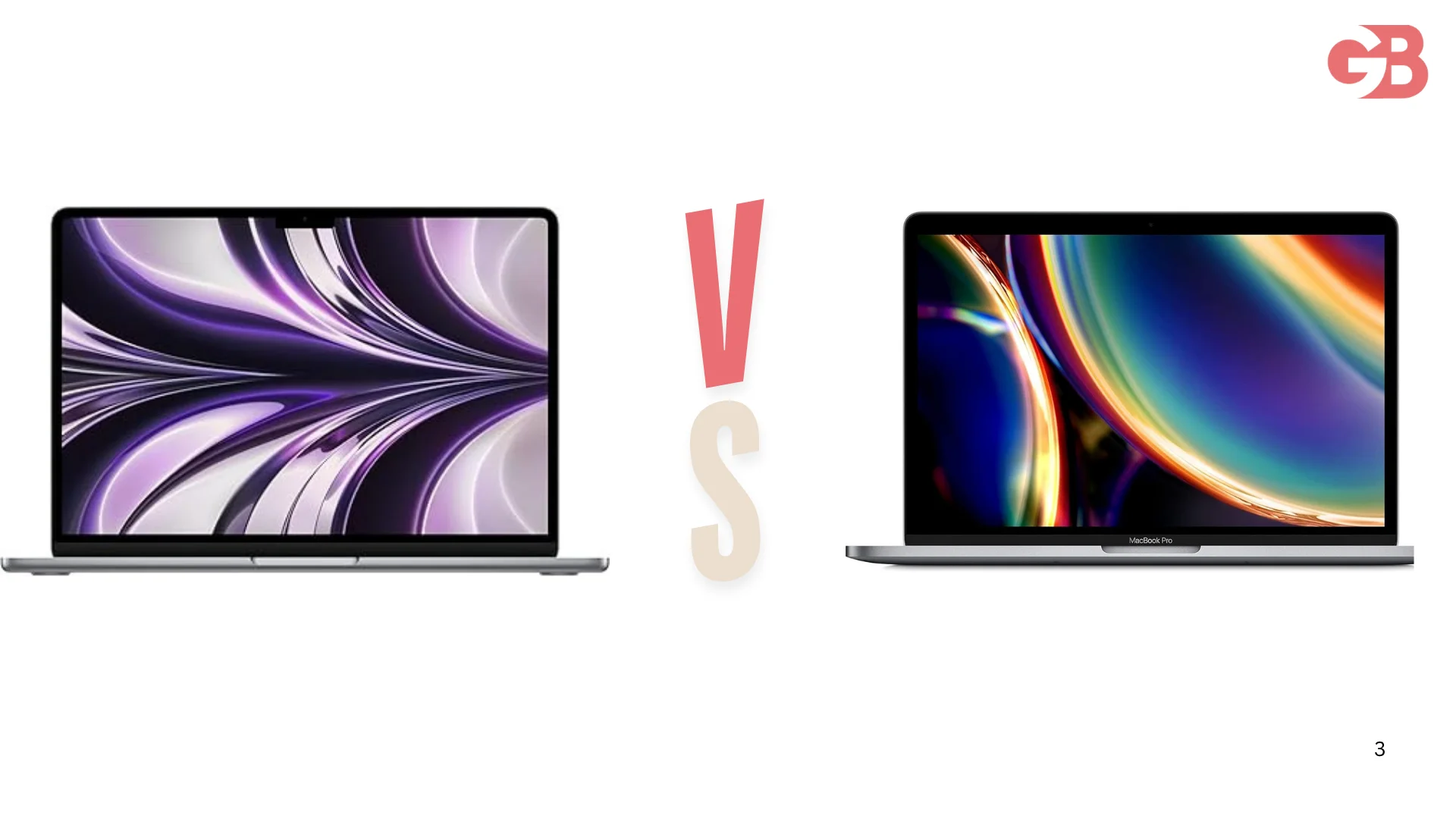 Playing on Intel Mac Through Boot Camp
The only officially safe and Riot-approved method to play Valorant on Mac is Boot Camp on Intel-based machines. Boot Camp is a built-in macOS utility that creates a separate Windows partition on your drive and installs Windows directly on the hardware. When you boot into Windows, your Mac essentially acts like a regular PC.
This is the key difference from other methods. Because Windows is running natively on the hardware rather than through a layer of software, Vanguard is satisfied and the game actually launches.
Here is what you need before you start. You need an Intel Mac made from 2012 onward, at least 64 GB of free disk space, and a Windows 10 ISO file. Valorant itself requires around 28 GB of space, so plan for at least 100 GB for the Windows partition to accommodate updates and drivers.
Stick with Windows 10 for your Boot Camp installation. Windows 11 might work but there are reports of Valorant crashing on it, so Windows 10 is the safer choice.
How to Install Boot Camp
Here are the steps in order.
Open Boot Camp Assistant from Applications then Utilities on your Mac. It will ask you to locate your Windows 10 ISO file which you download from Microsoft's official website for free. After that you set the partition size, give it at least 100 GB if you can spare it, and let the process run.
Your Mac will restart and boot directly into the Windows installer. Follow the on-screen instructions as you would when setting up a brand new PC. After Windows is installed, open a browser, go to playvalorant.com, click Play Free, download the installer, and run it. The installer downloads Valorant and the Vanguard anti-cheat system. Restart when prompted, launch Valorant, and sign in with your Riot account.
To switch between macOS and Windows after the setup is done, just hold the Option key during startup and choose which system to boot into.
What Performance to Expect
Do not go in expecting the same experience as a dedicated gaming PC.
Expect framerates to cap around 60 FPS in most cases. Your results will vary based on your specific Mac model, its age, and what hardware it has inside. Newer Macs with dedicated graphics cards will perform noticeably better than older models or those with integrated graphics.
For the best experience, play while plugged in and start with medium graphics settings, adjusting until you find the right balance of visuals and FPS.
It is playable. It is not perfect. But if you are on an Intel Mac and just want to get into the game with your friends, it works.
Also Read: Anker SOLIX Is More Than a Power Bank
What About Apple Silicon Macs
This is where I have to give the bad news directly.
Apple Silicon chips, meaning M1, M2, and M3, represent a leap forward in performance and battery life but they have a major limitation for Valorant. Boot Camp does not work on these machines. Even if you use a virtualization tool like Parallels, VMware Fusion, or UTM to run Windows 11 ARM, Vanguard will detect the virtual environment and refuse to launch Valorant.
Some players have tried to pass Vanguard through with advanced configurations, but Riot actively bans accounts that try to circumvent the anti-cheat restrictions. It is not worth risking your account over.
As of 2025, Riot has made no announcements about bringing Valorant to macOS natively, and with Vanguard's deep Windows integration, a native Mac client looks unlikely in the near future.
What About Cloud Gaming
Some people suggest using GeForce Now or Xbox Cloud Gaming as a workaround.
Cloud gaming services are also off the table because they run games on virtualized servers. Vanguard detects these virtualized environments and blocks the game from launching, making cloud solutions unreliable for Valorant.
Alternatives If You Are on Apple Silicon
If you have an M-series Mac and want a competitive tactical shooter, there are real options that actually work natively.
Counter-Strike 2 runs natively on macOS and offers a similar 5v5 skill-based experience to Valorant. It remains one of the most popular esports titles in 2025. Fortnite also runs on macOS through the Epic Games Launcher with full cross-platform play so you can squad up with friends on PC and console.
Neither is Valorant but both are genuine competitive games that actually run properly on your machine.
FAQs
Can you play Valorant on Mac natively?
No. Riot has not released a macOS version and has no announced plans to do so.
Does Valorant work on M1, M2, or M3 Mac?
No. There is currently no supported method to play Valorant on Apple Silicon Macs.
Can you use Parallels to play Valorant on Mac?
No. Vanguard detects virtual environments and blocks the game from launching.
What Intel Macs can run Valorant through Boot Camp?
Any Intel Mac from 2012 onward with at least 64 GB of free storage.
Will Valorant ever come to Mac officially?
Riot has not announced any Mac port as of 2025 and the technical barriers around Vanguard make it unlikely in the near term.
Is it safe to use third-party workarounds to play Valorant on Mac?
No. Riot actively bans accounts that try to bypass Vanguard through unauthorized methods.