
Compare the Latest Gadgets on the Market
Easily compare features, specifications, and prices of the latest gadgets side by side. Make informed decisions with detailed comparisons to find the perfect product that fits your needs and budget.
XREAL One Pro
Product 1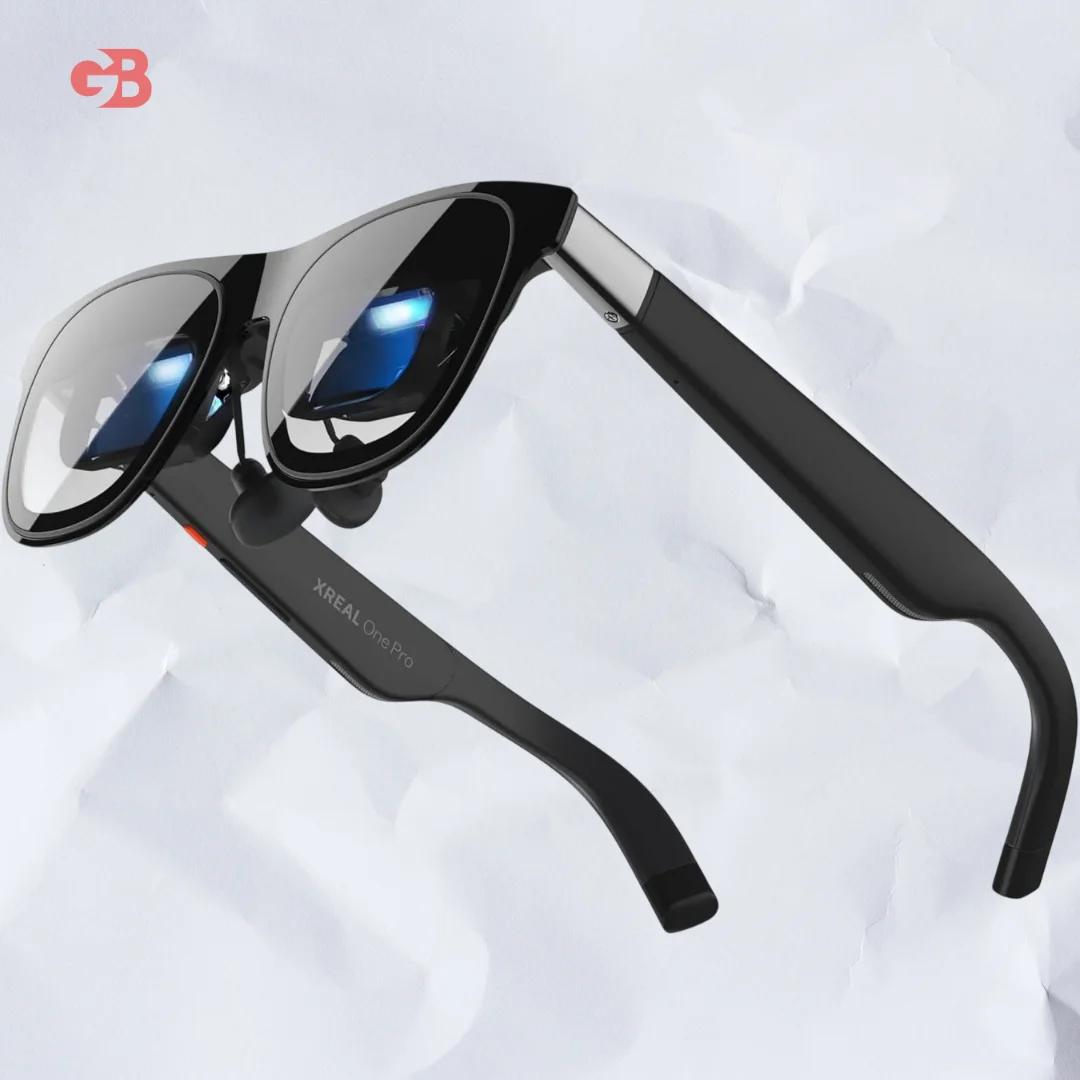
The XREAL One Pro is AR glasses that create a large virtual screen for movies, gaming, or work, with Full HD visuals and built-in Bose audio.
The XREAL One Pro combines smart eyewear and a portable screen into one sleek, wearable product.
Unlike traditional screens, these AR glasses beam sharp images directly in front of you, giving you a private display experience in any environment.
The XREAL One Pro is compatible with Android phones, iPhones, Windows PCs, Macs, Steam Deck, and more via USB‑C connection.
With a 57‑degree field of view, the XREAL One Pro creates a virtual screen that can feel like a 171‑inch display.
This makes it useful for watching films, playing games, giving presentations, or expanding workspace while you’re on the move.
The glasses use a custom X1 spatial computing chip and Sony micro‑OLED panels for smooth visuals up to 120 Hz and 700 nits brightness.
Audio is delivered through speakers tuned with Bose sound, giving balanced, clear audio without earbuds.
The XREAL One Pro also includes electrochromic dimming modes that let you adjust lens transparency, useful when using your virtual screen outdoors or indoors.
Lightweight and comfortable at around 87 grams, they’re designed to be worn for extended sessions.
Best Uses of XREAL One Pro
The XREAL One Pro is a versatile device that can transform the way you consume content.
It allows you to watch movies and streaming platforms like Netflix and YouTube on a virtual big screen anywhere.
For gamers, it provides an immersive private display for console or PC games without the need for a large monitor.
It also enhances work and productivity by offering multiple virtual monitors, making it ideal for coding, spreadsheets, and presentations.
Its compact and lightweight design makes it perfect for travel, allowing you to work comfortably on trains, planes, or in cafes.
These features make the XREAL One Pro an essential portable, personal display solution.
How to Set Up Your XREAL One Pro
Setting up the XREAL One Pro is simple and beginner-friendly.
First, connect the device to your smartphone, laptop, or gaming console using the USB-C cable.
Next, adjust the glasses for a comfortable fit they are lightweight and ergonomically designed.
Then, activate the display mode on your device to mirror or extend the screen to the glasses.
You can also customize settings such as brightness, dimming mode, and audio to create the best personal experience.
Finally, open any app, game, or video and enjoy your large virtual screen anywhere. Following these steps ensures you can quickly and easily get the most out of your XREAL One Pro.
Tips for the Best XREAL One Pro Experience
Maximize your enjoyment and performance with the XREAL One Pro by following these expert tips.
Use the glasses in moderately dim environments for the clearest visuals, and adjust the electrochromic lenses with the three dimming modes to suit your surroundings.
Keep the firmware updated, as regular updates from XREAL improve both compatibility and performance.
Use high-quality USB-C cables, either the one included or a certified high-speed cable, to ensure a smooth 120Hz display.
While the glasses feature built-in Bose speakers, pairing them with high-quality headphones can further enhance the immersive experience.
Following these tips ensures the XREAL One Pro delivers the clearest visuals, smoothest performance, and optimal comfort.
See Also: Gator Sfx Tri-Fold Tonneau Cover
Frequently Asked Questions
What is XREAL One Pro?
XREAL One Pro is AR glasses that act like a wearable external display, letting you see a big screen in front of your eyes via connection to your phone or PC.
Which devices work with XREAL One Pro?
They support phones (Android & iPhone), Windows PCs, Macs, Steam Deck, and other USB‑C video sources.
Do I need extra hardware to use XREAL One Pro?
No, you can use them simply by plugging into a compatible device. For extra features, accessories are optional.
Can I watch movies and play games with XREAL One Pro?
Yes, the XREAL One Pro is well suited for video, gaming, and work apps on a virtual large screen.
Are the glasses comfortable?
Yes, the design is lightweight and made for extended use.
Key Features
Wide Virtual Screen: Up to 171‑inch feel with a 57° field of view.
High Refresh Rate: 120 Hz for smooth visuals.
Full HD Display: Sony micro‑OLED panels with 1080p clarity.
Bose‑Tuned Audio: Built‑in speakers deliver clear sound.
Adjustable Dim Modes: Three electrochromic lens settings.
Multi‑Device Support: Works with phones, computers, and gaming systems.
Lightweight Comfort: Easy to wear for long use.
Specifications
Display Type: Sony Micro‑OLED for sharp, vibrant visuals and deep contrast.
Resolution: 1080p per eye, delivering full HD clarity for movies, games, and productivity.
Refresh Rate: 120 Hz for smooth motion, ideal for fast-paced gaming and video playback.
Field of View: 57°, providing an immersive visual experience without being overwhelming.
Brightness: Up to 700 nits, ensuring clear visibility even in moderately lit environments.
Chip: XREAL X1 spatial computing chip for efficient processing and enhanced AR/VR capabilities.
Audio: Bose‑tuned speakers for immersive sound, with optional headphone support for a more private experience.
Weight: ~87 g, making the glasses lightweight and comfortable for extended use.
Connectivity: USB‑C for fast, universal connection to smartphones, laptops, gaming consoles, and more.
Dimming Modes: 3 electrochromic levels to adjust brightness and reduce eye strain in different lighting conditions.
Compatibility: Works seamlessly with Android, iOS, Windows, Mac, and Steam Deck devices.
Pros
Large virtual screen for immersive media: Enjoy movies, shows, and games on a screen that feels much bigger than your actual device.
Smooth visuals at 120 Hz: High refresh rate ensures fluid motion for gaming and video playback without stutter.
Built‑in Bose sound: Speakers deliver clear, rich audio that rivals many standalone headphones.
Works with many devices: Compatible with Android, iOS, Windows, Mac, and Steam Deck, offering versatile use across platforms.
Lightweight and comfortable for long wear: Weighing only ~87 g, the glasses can be worn for extended sessions without discomfort.
Adjustable electrochromic dimming: Three brightness levels let you customize visuals for any environment, reducing eye strain.
Portable and travel-friendly: Compact design makes it easy to take on planes, trains, or cafes.
High-quality spatial computing chip: XREAL X1 chip enhances graphics processing for smoother AR and VR experiences.
Cons
Requires another device: The glasses cannot operate independently and need a smartphone, laptop, or console to function.
Not a standalone AR headset: Lacks built-in processing for independent AR experiences, limiting some advanced AR applications.
Price: More expensive than basic AR display glasses, which may deter budget-conscious buyers.
Limited field of view compared to some headsets: 57° FOV is immersive but smaller than some full AR/VR headsets.
Dependent on USB‑C connection: Requires compatible ports, which may limit use with older devices.
Select Product 2
Choose a product to compare